

From LangChain to LangGraph: A Detailed Look at Frameworks and the Entire Lang Ecosystem
LangChain or LangGraph? Which framework for AI agents should you choose? What about LangSmith, LangFuse, or LangFlow? If you find the ever-growing "Lang" ecosystem confusing or simply want to dive deeper into the mechanics of LangChain and LangGraph, you've come to the right place. This guide aims to be a foundational resource, answering all the key questions surrounding these powerful tools.
We'll explore their architectural differences, core concepts, and practical code examples to help you decide which framework is right for your project. We'll also look at the broader ecosystem that has grown around them.
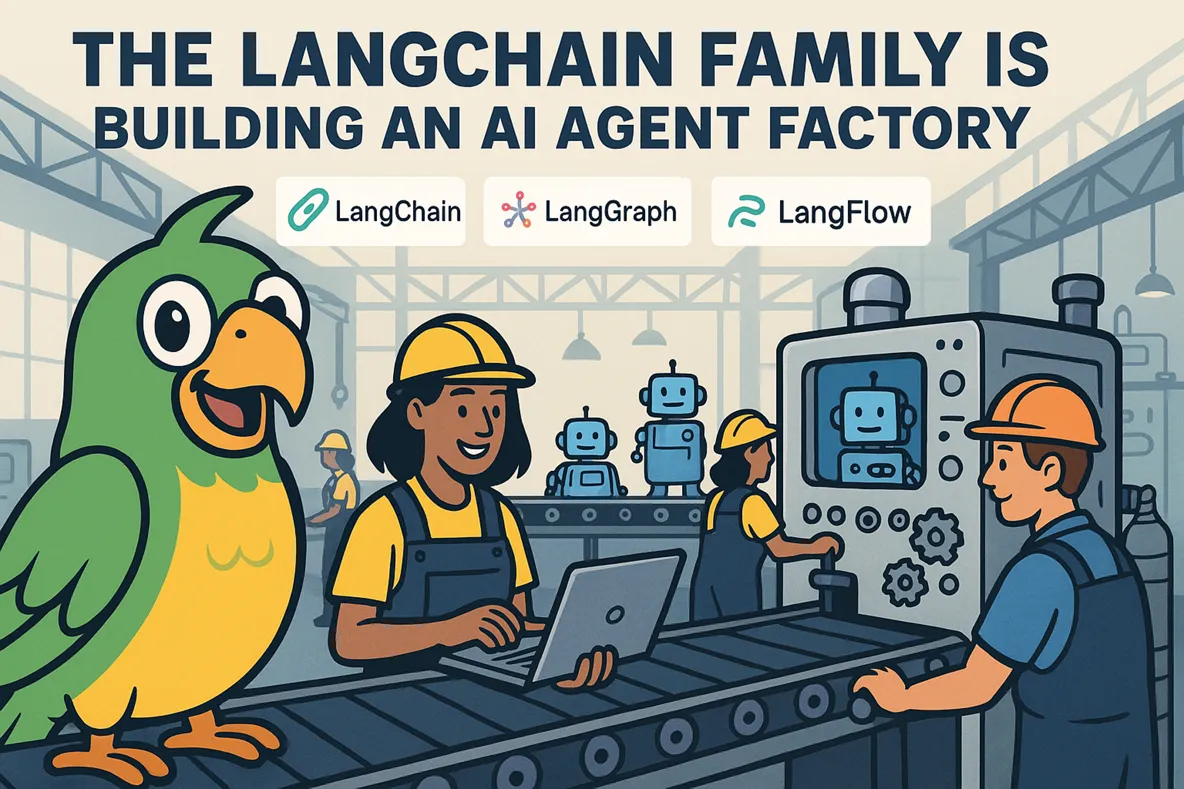
The Lang Ecosystem Explained
First, let's clarify the key players. LangChain and LangGraph are the core development frameworks, built by the same team. The rest of the ecosystem includes:
- LangSmith: A proprietary tracing and observability platform.
- LangFuse: An open-source, third-party tracing alternative.
- LangFlow: A visual builder for creating agents and pipelines.
LangChain is a modular framework for building LLM-powered applications. It provides the essential building blocks—prompts, models, memory, tools, and retrievers—and a simple way to connect them into chains. It excels at linear pipelines but is also capable of building complex chatbots, RAG systems, and tool-using agents.
LangGraph is a separate framework that extends these ideas into a graph-based structure. Instead of linear chains, you define a graph with nodes (actions) and edges (transitions), through which a state object travels. This design is perfect for complex systems that require branching, cycles for clarification, retries for errors, and pauses for user feedback.
Many projects start with LangChain and evolve from there. For complex multi-agent orchestration, you can migrate to LangGraph, but its increased complexity should be justified.
LangChain and LangGraph share a common core, with a modular architecture built in layers:
- langchain-core: The foundational layer for both frameworks.
- Core abstractions for LLMs, chat models, embeddings, and parsers.
- The Runnable protocol—a fundamental interface for all components.
- Integration packages like
langchain-openai,langchain-anthropic, etc.
- LangChain: Built on
langchain-corewith the addition of thelangchainpackage.- Pre-built chains, agent functionalities, and retrieval strategies.
- High-level components like
RetrievalQA,ConversationChain, and various agent types.
- LangGraph: Built on
langchain-corewith the addition of thelanggraphpackage.- A graph-based orchestration system.
- State machines, checkpointing, and native multi-agent support.
How LangChain Works: The Runnable Protocol
At its core, every component in LangChain—prompts, models, parsers, retrievers—implements a unified Runnable interface. This provides six standard methods for execution:
invoke(input)          # Synchronous execution
ainvoke(input)         # Asynchronous execution
batch(inputs)          # Synchronous batch processing
abatch(inputs)         # Asynchronous batch processing
stream(input)          # Synchronous streaming
astream(input)         # Asynchronous streaming
The Runnable Protocol is the foundation of everything. This unified interface allows you to easily compose components into chains using the pipe operator (|), a syntax known as the LangChain Expression Language (LCEL).
// Without Runnable:
docs = retriever.invoke(query)
formatted = prompt.format(context=docs, question=query)
response = model.invoke(formatted)
result = parser.invoke(response)

// With Runnable (LCEL):
chain = retriever | prompt | model | parser
result = chain.invoke(query)
Once you've built an LCEL chain, you can execute it using any of the six methods shown above.
from langchain_openai import ChatOpenAI
from langchain_core.prompts import ChatPromptTemplate
from langchain_core.output_parsers import StrOutputParser

# A simple chain
chain = (
    ChatPromptTemplate.from_template({question})
    | ChatOpenAI(model=gpt-4o-mini)
    | StrOutputParser()
)

# Single invocation
chain.invoke({question: Why is the sky blue?})

# Batch processing
chain.batch([
    {question: Come up with a unique name for a cat},
    {question: Explain quantum physics simply}
])

# Streaming
for chunk in chain.stream({question: How can you make a robot work like a human?}):
    print(chunk, end=)

# Async variants
await chain.ainvoke(...)
await chain.abatch([...])
async for chunk in chain.astream(...):
    ...
Advanced LCEL Features
LCEL also provides powerful features for building robust applications, such as parallel execution, conditional routing, automatic retries, and fallbacks.
# Parallel execution of three chains
multi_analysis = RunnableParallel({
    summary: summary_chain,      // Generates a summary
    sentiment: sentiment_chain,  // Analyzes sentiment
    keywords: keyword_chain      // Extracts keywords
})

# Conditional routing based on input
branch_chain = RunnableBranch(
    (lambda x: seo in x.lower(), seo_chain),
    (lambda x: content in x.lower(), content_chain),
    general_chain  // Default path
)

# Automatic retries for handling errors (e.g., rate limits)
chain_with_retry = (prompt | llm | parser).with_retry(
    stop_after_attempt=3,           // Max 3 attempts
    wait_exponential_jitter=True    // Exponential backoff
)

# Fallback to a backup chain if all retries fail
main_chain = prompt | ChatOpenAI(model=gpt-4o) | parser
backup_chain = prompt | ChatOpenAI(model=gpt-4o-mini) | parser

safe_chain = main_chain.with_fallbacks([backup_chain])
Structured Outputs
A crucial feature for complex LLM systems is getting structured data (like JSON) instead of plain text. This makes the output programmatically useful. LangChain simplifies this using Pydantic models.
class TaskPlan(BaseModel):
    title: str
    steps: List[str] = Field(..., min_items=3, description=actionable steps)

structured_llm = ChatOpenAI(model=gpt-4o-mini).with_structured_output(TaskPlan)
plan = structured_llm.invoke(Plan a twenty-minute bodyweight exercise session for me)
print(plan.model_dump())
# Output: {'title': '...', 'steps': ['...', '...', '...']}
Behind the scenes, .with_structured_output() abstracts away provider-specific details. It uses native features like OpenAI's Function Calling or Anthropic's Tool Use when available, and falls back to JSON mode or prompt instructions for other providers.
Calling Tools with LangChain
Tools extend an LLM's capabilities, allowing it to search the web, perform calculations, or call APIs. LangChain provides pre-built tools (e.g., Wikipedia, Calculator) and lets you create custom ones with the @tool decorator. A clear, concise docstring is critical, as it's passed to the model's context and directly influences whether the tool is called correctly.
from langchain_core.tools import tool
from langchain_openai import ChatOpenAI

@tool
def multiply(a: int, b: int) -> int:
    Multiplies two numbers.  # The docstring is critical!
    return a * b

llm = ChatOpenAI(model=gpt-4o-mini)
llm_with_tools = llm.bind_tools([multiply])  # Bind tools to the model

resp = llm_with_tools.invoke(What is 23 * 47?)
print(resp.tool_calls)  # [{'name': 'multiply', 'args': {'a': 23, 'b': 47}, 'id': '...'}]
Important: The model does not execute the tool. It only returns the intent to call it with specific arguments. Execution is your responsibility.
You need to build a loop to handle tool calls, execute them, and return the results to the model.
from langchain_core.messages import HumanMessage, ToolMessage

# A simple agentic loop
messages = [HumanMessage(content=What is the weather in San Francisco?)]
while True:
    resp = llm_with_tools.invoke(messages)
    if not resp.tool_calls:
        break

    messages.append(resp) # Add AI's response to history
    for tool_call in resp.tool_calls:
        result = tools_dict[tool_call[name]].invoke(tool_call[args])
        messages.append(ToolMessage(content=str(result), tool_call_id=tool_call[id]))
Managing Memory
Memory allows an agent to retain context from the current interaction and recall past experiences. LangChain offers two main types:
- Short-term (session-based): Stores messages from the current conversation, typically in memory.
- Long-term (persistent): Stores facts and context in a durable database for later retrieval.
prompt = ChatPromptTemplate.from_messages([
    (system, You are a helpful assistant.),
    MessagesPlaceholder(variable_name=history),
    (human, {input})
])
chain = prompt | ChatOpenAI(model=gpt-4o-mini)

# Simple in-memory store for session histories
store = {}
def get_history(session_id: str):
    if session_id not in store:
        store[session_id] = InMemoryChatMessageHistory()
    return store[session_id]

with_history = RunnableWithMessageHistory(
    chain,
    get_history,
    input_messages_key=input,
    history_messages_key=history
)

cfg = {configurable: {session_id: user_123}}
with_history.invoke({input: My favorite food is pizza}, config=cfg)
with_history.invoke({input: What is my favorite food?}, config=cfg)
For persistent memory, you can easily swap in a different backend, like PostgreSQL, thanks to the large number of community-contributed integrations.
def get_history(session_id: str):
    return PostgresChatMessageHistory(
        connection_string=postgresql://...,
        session_id=session_id
    )
Summary of LangChain: It provides a rich set of well-designed tools sufficient for building not just linear pipelines, but also complex applications. While custom logic requires some coding, the overall experience is pleasant. However, for highly complex, stateful, or multi-agent systems, LangGraph offers a more native solution.
How LangGraph Works
Think of LangGraph as a flowchart for your application. Each block (a "node") is a Python function performing a single task. The arrows ("edges") dictate which block runs next. A "state" object, like a backpack full of data, moves through this flowchart, and each node can read from or write to it. In a chatbot, the state typically holds the list of chat messages.
from typing import TypedDict, Annotated, List
from langgraph.graph import StateGraph, START, END
from langgraph.graph.message import add_messages
from langchain_openai import ChatOpenAI
from langchain_core.messages import HumanMessage

class State(TypedDict):
    # add_messages is a reducer that appends new messages to the list
    messages: Annotated[List, add_messages]

llm = ChatOpenAI(model=gpt-4o-mini)

def model_node(state: State):
    reply = llm.invoke(state[messages])
    # Return only the new message; LangGraph appends it to the state
    return {messages: [reply]}

graph_builder = StateGraph(State)
graph_builder.add_node(model, model_node)
graph_builder.add_edge(START, model)
graph_builder.add_edge(model, END)

# Compile the graph into a Runnable
app = graph_builder.compile()

result = app.invoke({messages: [HumanMessage(content=Please give this article a like)]})
print(result[messages][-1].content)
After defining the graph's structure (START -> nodes -> edges -> END), you compile it. This process validates, optimizes, and transforms the graph into an executable object—the familiar Runnable interface. From there, you can use it just like any LangChain component.
State Management with Checkpointing
A key feature of LangGraph is automatic state saving, or "checkpointing," after each node executes. This provides three major advantages:
- Persistence: You can interrupt execution and resume it later.
- Time Travel: You can roll back the state to any previous step for debugging or branching.
- Human-in-the-loop: You can pause the graph to wait for user input or approval.
# To enable persistence, pass a checkpointer during compilation
from langgraph.checkpointers import SqliteSaver

memory = SqliteSaver.from_conn_string(conversations.db)
app = graph_builder.compile(checkpointer=memory)
Effectively, checkpointing replaces the concept of "Memory" in LangChain. The entire graph state—messages, intermediate results, metadata, and counters—is preserved, not just the conversation history.
LangChain vs. LangGraph: Which Should You Choose?
The core difference is simple: LangChain is for linear chains, while LangGraph is for cyclical graphs. Chains are excellent for straightforward, sequential pipelines. Graphs are essential for complex, stateful applications that require branching, cycles, and multi-agent coordination. While you can build complex logic in LangChain using nested RunnableBranch components, it quickly becomes unwieldy. LangGraph provides a much cleaner, more natural way to model this complexity.
If you're asking which one to choose, the answer is almost always LangChain.
Frequently Asked Questions
Are all the 'Lang' tools the same thing?
No. The official team develops three main projects: LangChain (framework), LangGraph (framework), and LangSmith (tracing platform). Other tools like LangFlow and LangFuse are developed by third parties but are often built on top of the official frameworks.
Can I use LangChain components inside LangGraph?
Yes, absolutely. Any LangChain component (like an LCEL chain) can be used as a node in a LangGraph graph.
# An LCEL chain
chain = prompt | llm | parser

# Used as a graph node
def node(state):
    return {output: chain.invoke(state[input])}

graph.add_node(chain_node, node)
How much slower is LangGraph than LangChain?
The framework overhead is negligible. Both use the same high-performance core. The primary source of latency in any LLM application is the call to the LLM itself. The complexity of your graph or chain will determine the overall performance.
Is memory handled the same way in both?
No, their approaches differ. LangChain uses explicit memory classes like ConversationBufferMemory. LangGraph uses a more powerful, native state management system with its State object and checkpointers, which persists the entire state of the graph, not just messages.
Ecosystem Tools: Tracing and Deployment
LLM applications can be unpredictable. Tracing is essential for debugging and understanding their behavior. While you can build your own, framework-level tracing is far more efficient.
- LangSmith: The official, paid, SaaS-only platform. It offers seamless, native integration with the core frameworks.
- LangFuse: A popular open-source alternative. Its main advantage is that it can be self-hosted (on-premise). Integration requires using callbacks or decorators.
LangFlow, LangServe, and LangSmith Hub
LangFlow is a third-party visual UI layer for LangChain and LangGraph. It allows you to drag-and-drop components to build pipelines and agents, similar to tools like n8n or Dify, but powered by the entire LangChain universe.
LangServe is an official tool for deploying any LangChain Runnable as a production-ready REST API. Built on FastAPI, it automatically generates OpenAPI documentation and supports streaming and batching out of the box.
LangSmith Deployment is a managed runtime designed specifically for long-running, stateful agents. Unlike LangServe, it's a full infrastructure solution with built-in checkpointing, horizontal scaling, and task management.
LangSmith Hub is a centralized, community-driven repository for prompts. You can publish your own prompts, discover solutions from others, and integrate them directly into your code.
from langchain import hub
prompt = hub.pull(username/my-prompt)
LangChain provides an excellent baseline for rapidly building and iterating on an MVP. It is powerful enough for most production use cases. When your application's logic evolves into a complex state machine or requires multi-agent orchestration, LangGraph offers a robust and elegant solution designed specifically for that challenge.